
There has been a long-standing challenge of users navigating to DNG Change Sets and finding where they thought they had a link; DNG was saying there was no link.
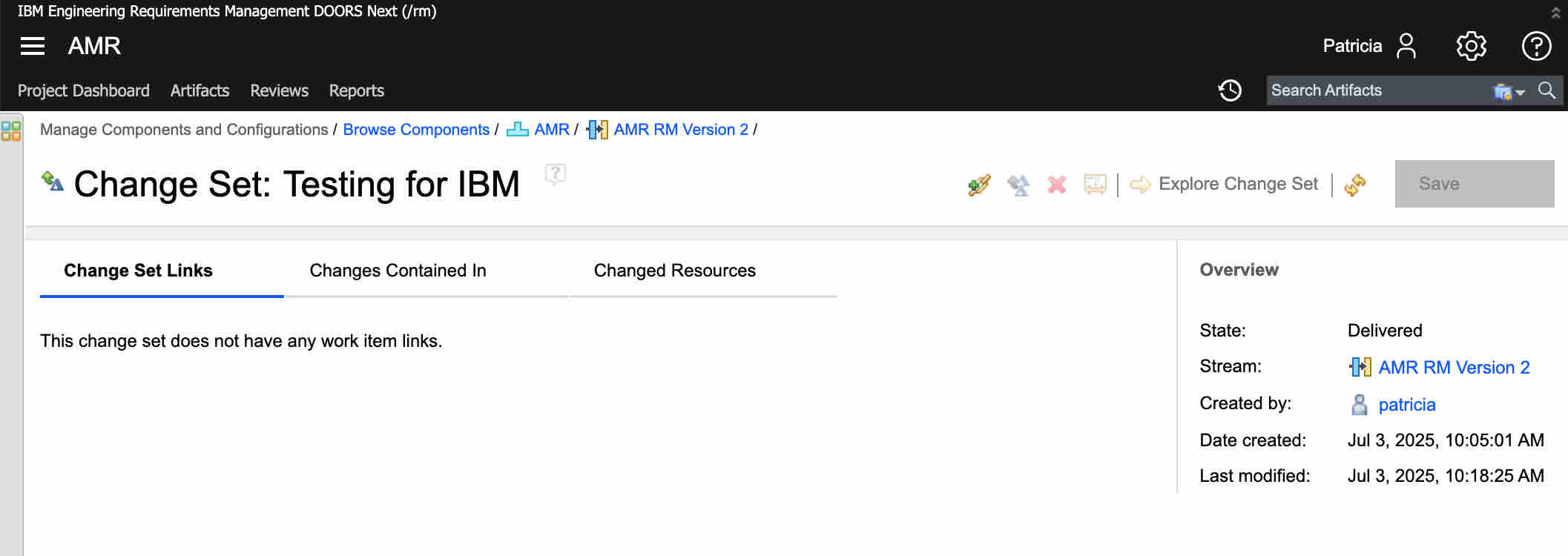
And then to rectify the situation, users would attempt to add the link back and have the following error that the link already exists!
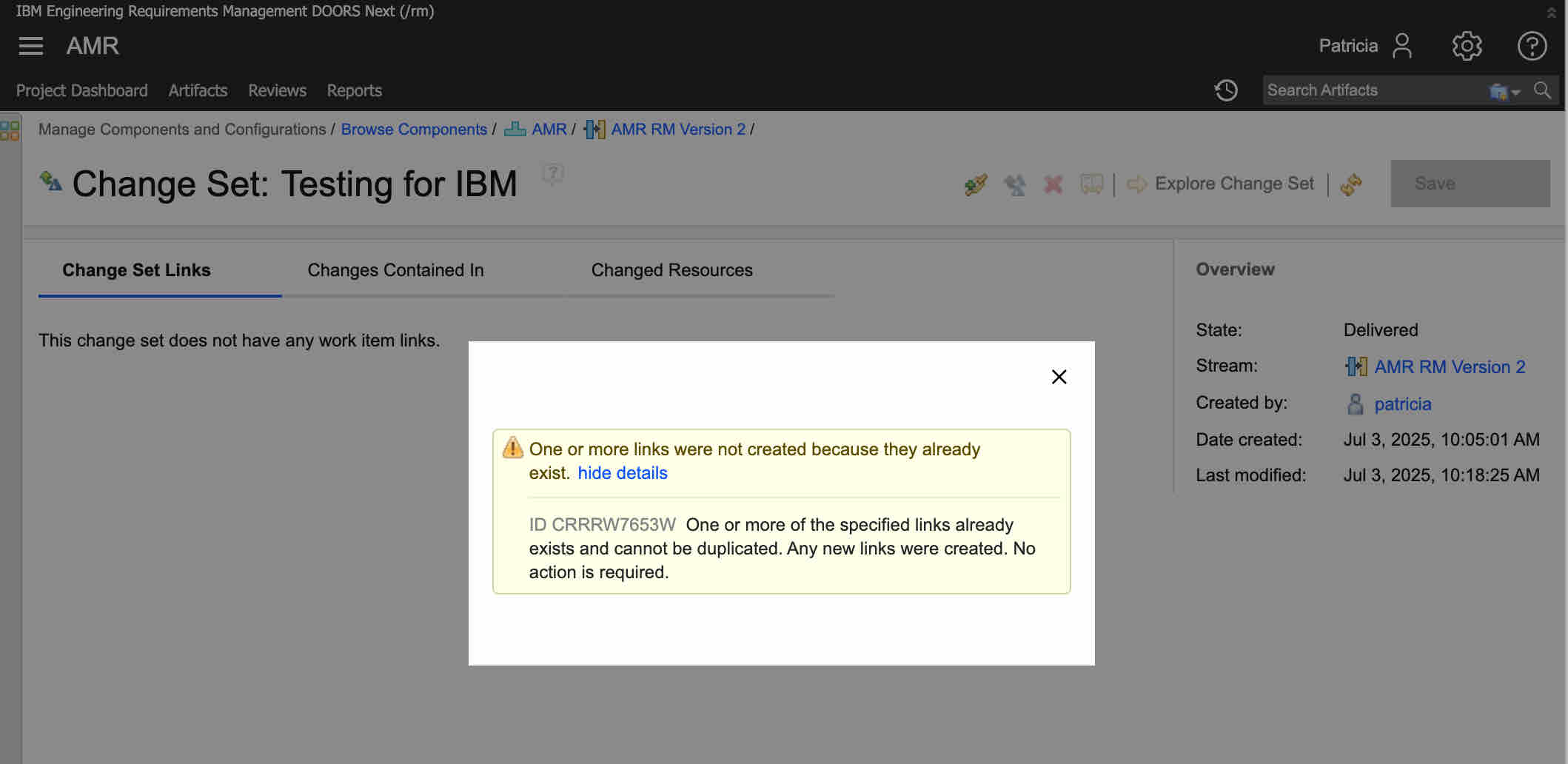
So, what is happening?
The link has always been there, but IBM DNG is not displaying it. The reason it is not being shown is because the method that DNG uses to find these links (an OSLC Query to Jira) can only be done by a user authenticated through DNG to Jira. This is why, after trying to recreate the link, you will now see the link.
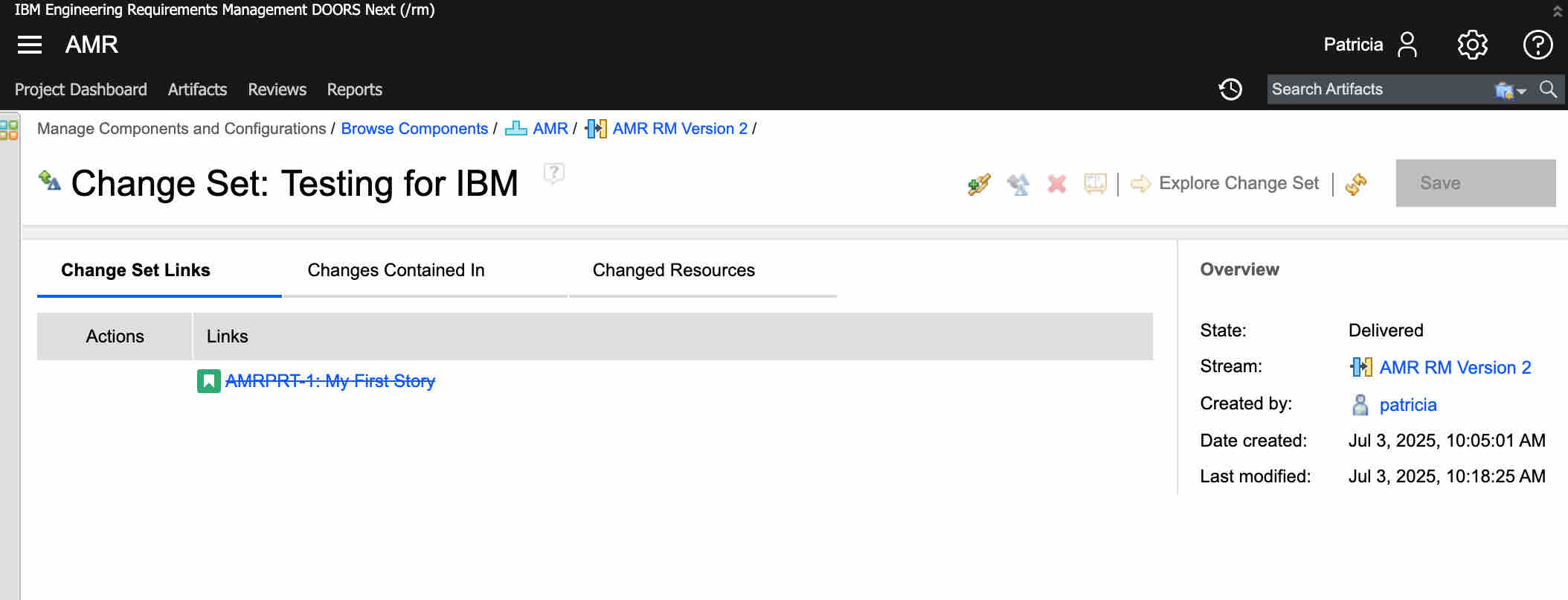
Simply the act of trying to create a link triggered the authentication from DNG to Jira (on behalf of the user), and now the query request from DNG is made to Jira.
The message “This change set does not have any work item links” is not accurate and leads users to the wrong conclusion. A better experience would be for DNG to notify the user that it wasn’t authorized and trigger the authorization sequence.
Workarounds
The following workarounds will improve the behavior.
Workaround 1 (All Versions - non-preferred user experience)
Workaround 1 requires the user to force a DNG to Jira authentication. This is done by triggering the DNG paths that respond to the unauthenticated status. The simplest way is to trigger the create link dialog. After the dialog is shown, cancel the dialog and force a page refresh. Your links (if you have them) will now appear.
This is not intuitive to the user. Effectively, we suggest they question the accuracy of the “no work items” message and consider that authentication might be the issue (since no message is received), then attempt again and trust the results. Understandably, this is awkward DNG behavior and not the best user experience.
Workaround 2 (7.0.2 iFix 024 and later)
Workaround 2 changes the authorization flow for some requests from DNG to Jira. Instead of using the user authentication, it relies on allowing server-to-server requests to use a service account. In this case, you lose audit controls, but it authorizes requests for basic project information and the execution of OSLC Queries without requiring user authentication. In this case, you will see the links in your change set even if you are not authenticated. Still, you will not be able to see the rich previews until you authenticate (this is more the normal exchange behavior you usually see in DNG to Jira), but you will see that the links do exist.
To enable this behavior, two changes must occur.
First, in DNG, the Administrator must enable the following Advanced Property.
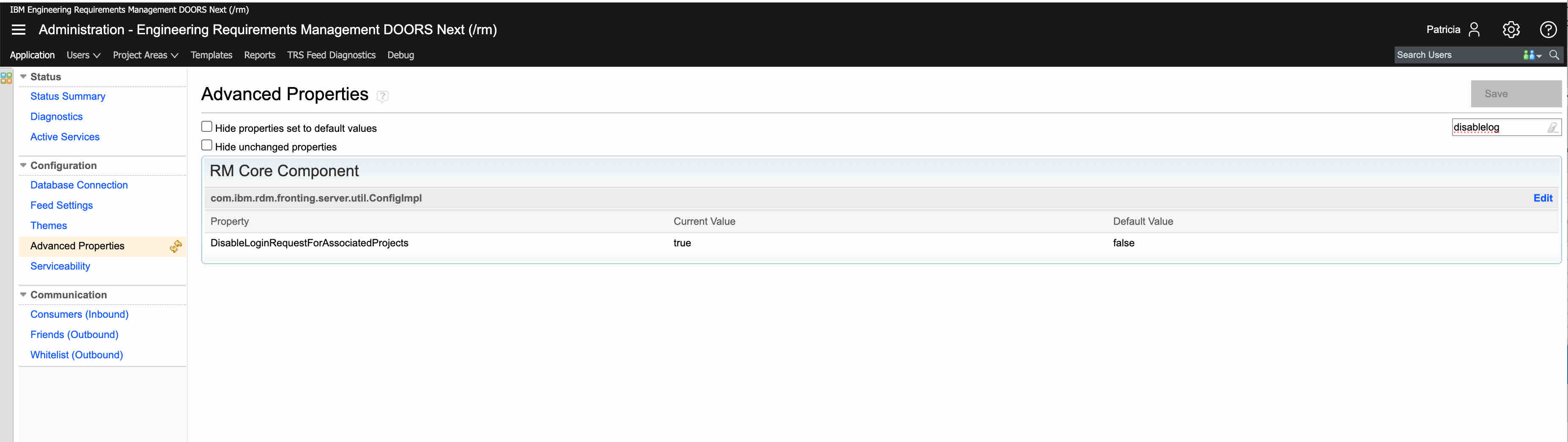
This setting enables DNG to use two-legged Oauth requests (user free requests) between DNG and Jira for select resources.
Second, in Jira the Administrator must go to Manage Apps → OSLC Connect → Consumers and add a functional user to the DNG Consumer Key
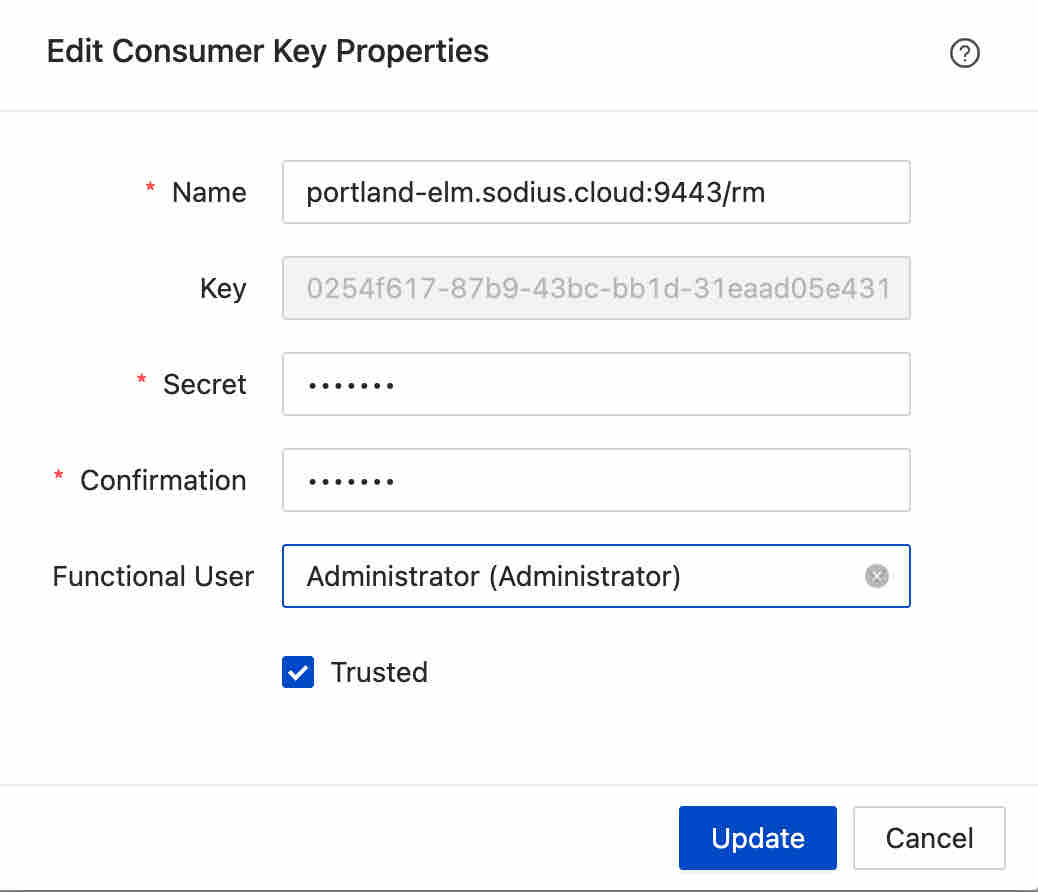

This will set the user that DNG will use to perform the OSLC query and retrieve project information.
Once this has been configured, users should observe more consistent behavior of seeing links appearing in DNG Change Sets. Note, the delivery of changesets when requiring approval will still require user authentication, but users will now at least have visibility to the changesets and the indicators to login.
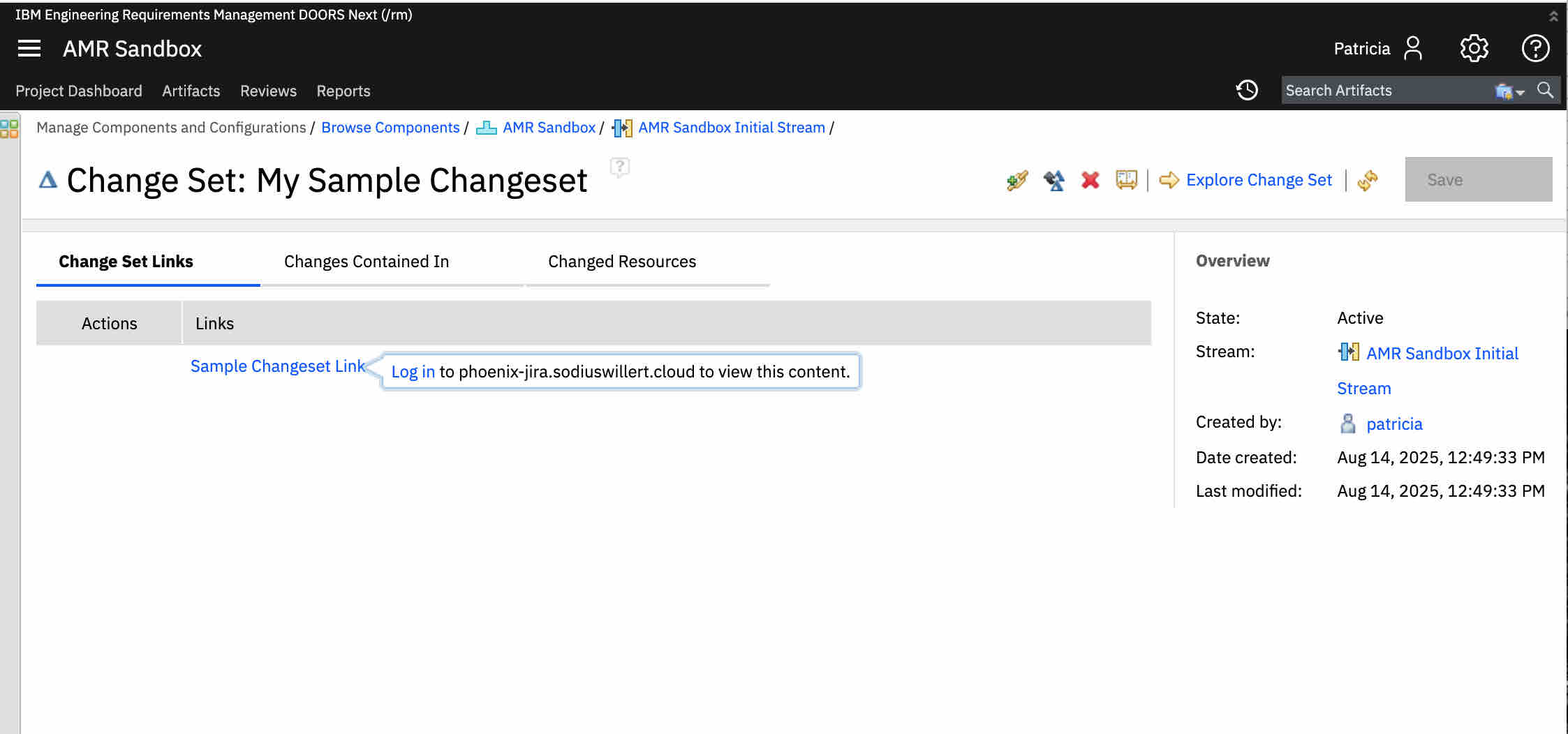
Please note, this does change the exchange behavior between DNG and Jira, and some requests (such as the queries) will not be associated with the user in DNG, but rather the functional user. If you have questions about this, please let us know.
Additionally, this change will affect the number of transactions from DNG to Jira. If your team is interested in understanding the transactions and load that IBM ELM is placing on your Jira Cluster, please let us know. We have analysis tools that can process access logs, providing insight into the load introduced by ELM and this change.